Reflections & Question Review
Two connected features that turn every practice question into a coaching signal.
Reflections
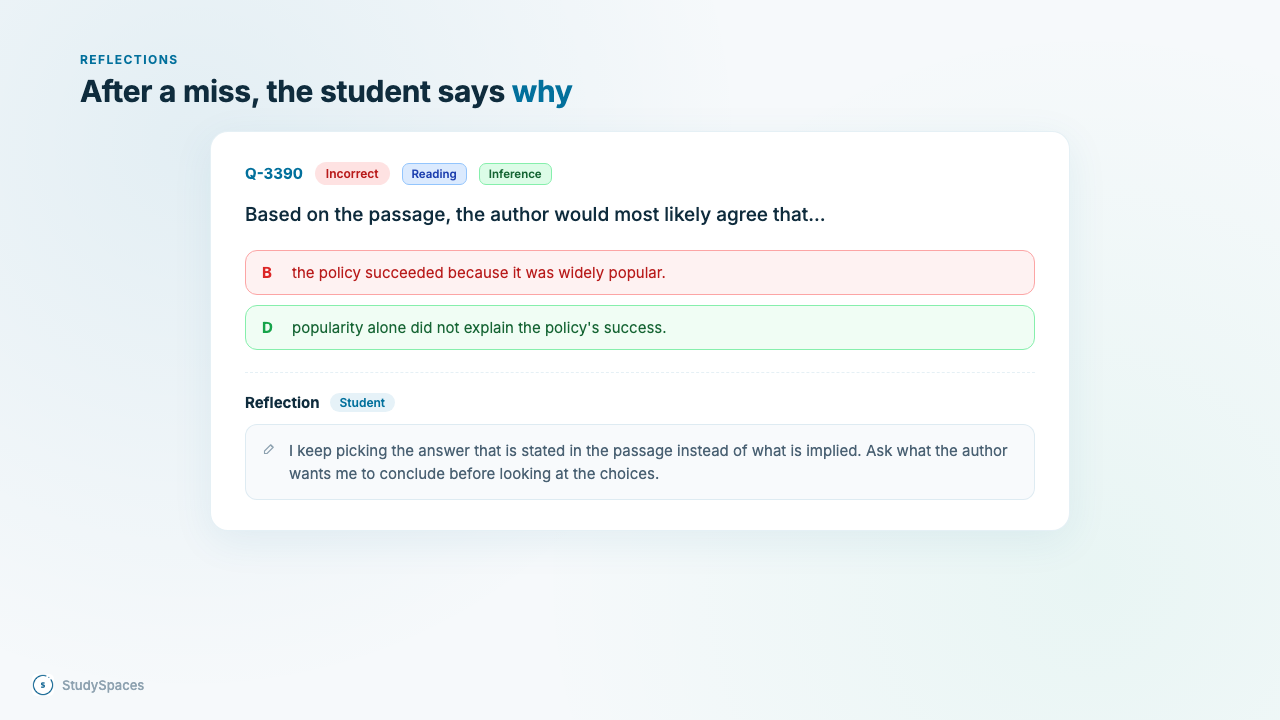
Right after answering, a student can jot a quick note on what went wrong, in their own words. It saves on that question and appears under it in their results. You see it too, so you understand how they were thinking, not just whether they got it right.
Question Review
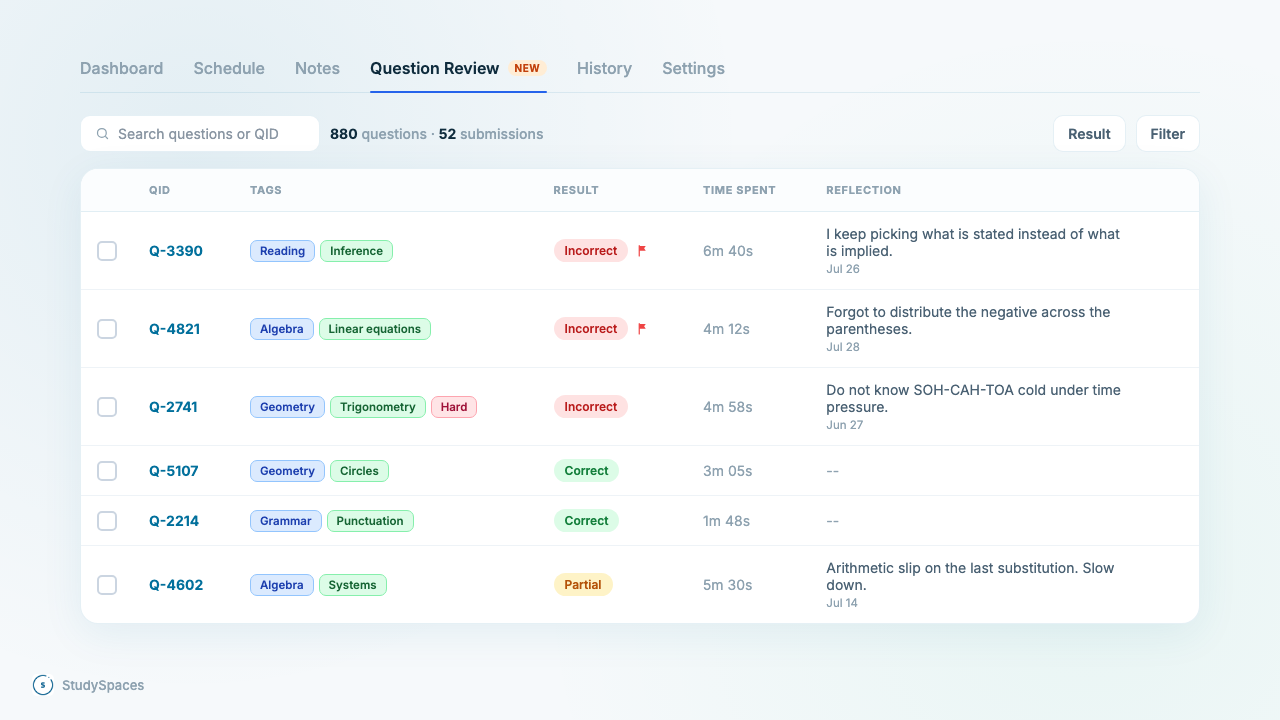
A new tab on each student's profile, right next to History. It lists every question the student has practiced across their completed submissions, grouped by question.
What you can do:
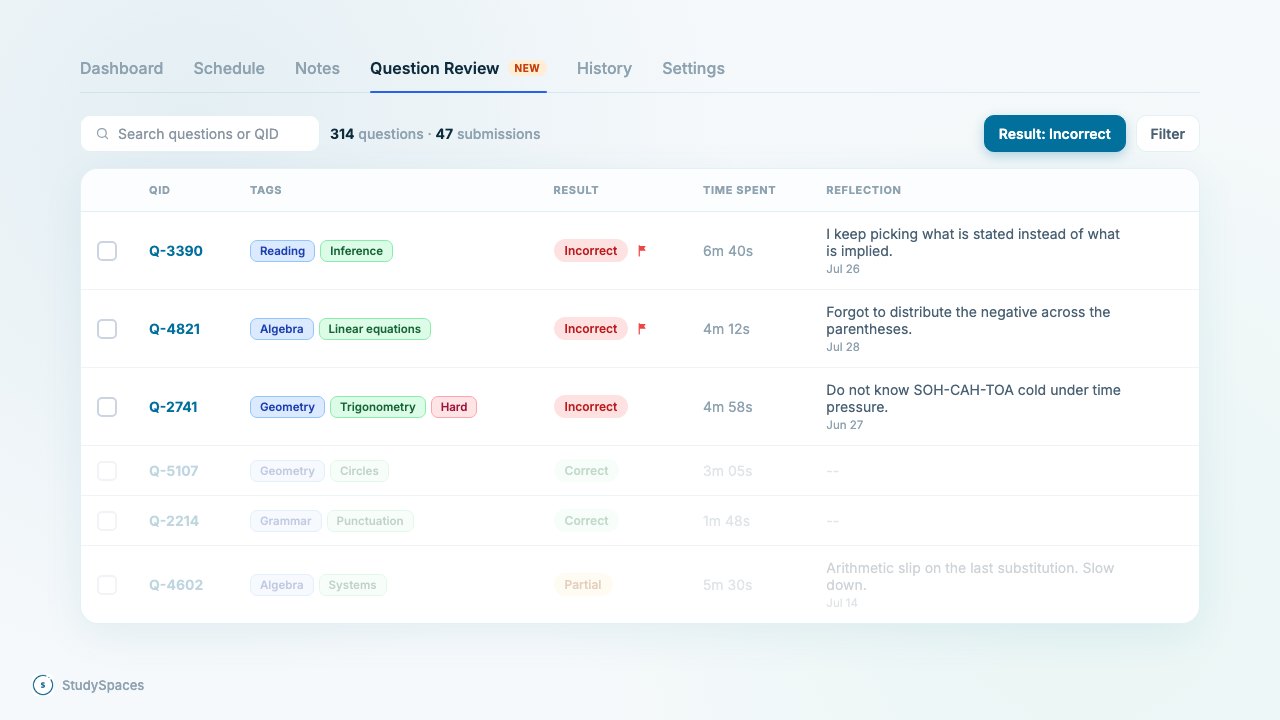
Filter by result — correct, incorrect, or unanswered. Each row reflects the latest attempt, so a question they later got right shows as correct, with the number of times taken beside it.
See what they flagged for review, marked right next to the result.
Read their reflections inline, with the date each one was written.
Filter by tags in the usual Subject, Topic, Subtopic order.
Filter by time spent, for example more than 60 seconds on a question.
Filter across one or more submissions at once.
Turn misses into practice
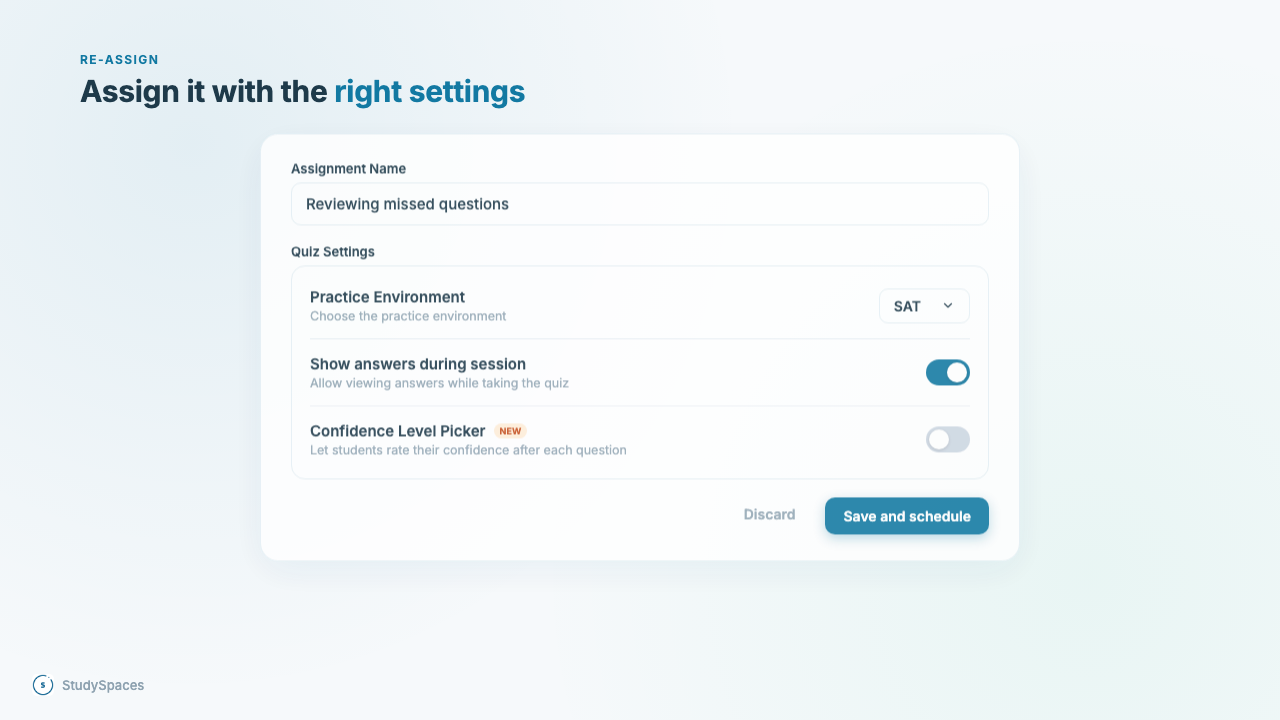
Select any set of questions and re-assign them as a fresh practice quiz. You choose the settings (practice environment, show answers, confidence level picker) and schedule it, and it lands on the student's plan.
Available now on the student profile.